Sunday, May 13, 2018

Plan to Throw One Away

You'll end up throwing away the first system so just go ahead and plan for it. (Posted by Jerry Yoakum)

A highly critical factor in the success of a project is whether the project is entirely new. New software treads in new territory and rarely works on the first try.

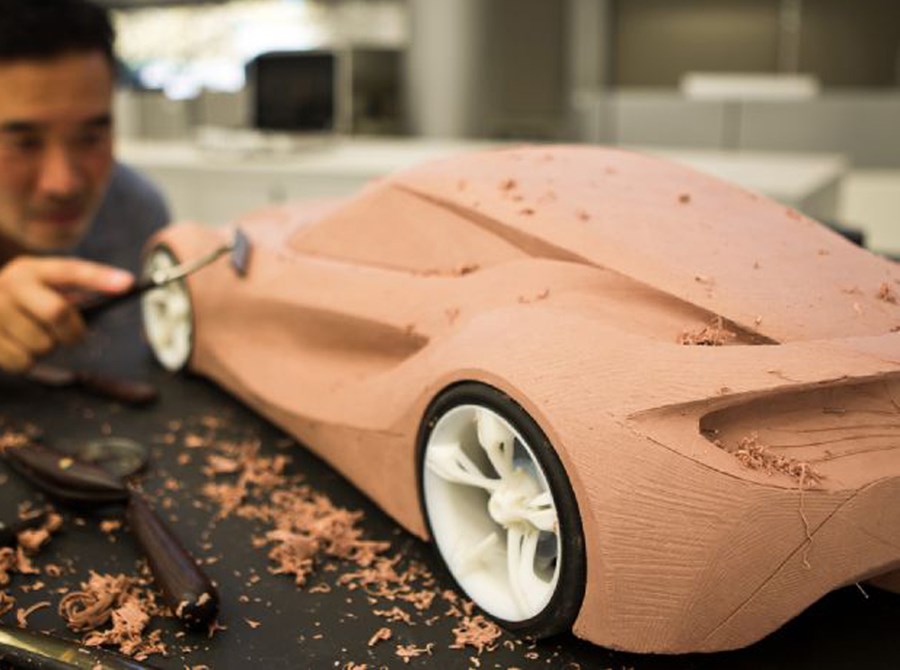
In 1970, Winston Royce said one should plan for the first fully deployed system to be the second one created. The first is a prototype that flushes out the critical design issues and proves the concept. You should expect to spend 25% of your time and effort in making the prototype. Fred Brooks reiterates Royce's advice in the Mythical Man Month saying, "Plan to throw one away; you will anyway."

When developing a new software application:
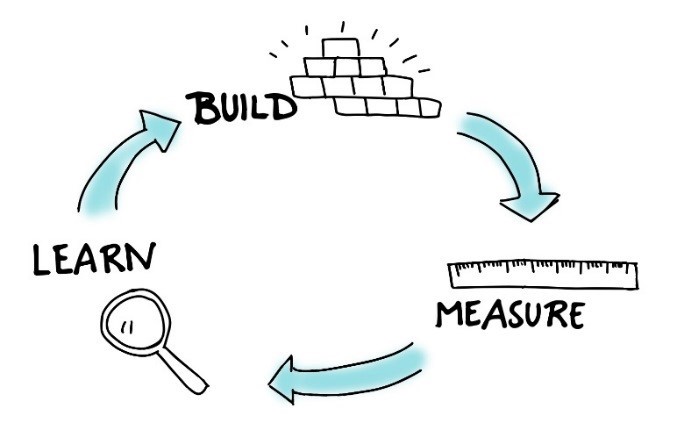
  • Plan to build a series of throwaway prototypes before starting the final product.
  • Expect a software application to be modifiable for a certain period of years, after which it will need to be fully replaced.
    • Software Will Continue to Change*
    • Software's Entropy Increases*
    • Fix Problems, Not Symptoms*
    • The System's Existence Promotes Evolution*
  • You can only fiddle with an application just so much before it becomes unstable and must be replaced.
    • Software's Entropy Increases*
    • The Older a Program, the More Difficult It Is to Maintain*
    • Maintenance Causes More Errors Than Development*
    • Belief That a Change Is Easy Makes It Likely It Will Be Made Incorrectly*

Friday, May 11, 2018

Align Incentives for Developer and Customer

Align developer and customer goals for project success. To align everyone's goals:
  1. Prioritize requirements.
  2. Reward the developer based on the relative priorities.
  3. Define reasonable penalties for late delivery.

Friday, May 04, 2018

Give Products to Customers Early

Give customers usable products early so you can get real feedback early. (Posted by Jerry Yoakum)

The most effective way to learn users' needs is to give them a prototype and gather feedback from the experience. This goes perfectly with the Agile Methodology to always deliver after each sprint. Which allows for faster feedback and the product continuously moving toward the customer's desired product.


Reference:
H. Gomaa and D. Scott. 1981. "Prototyping as a Tool in the Specification of User Requirements". Fifth International Conference on Software Engineering. IEEE Computer Society Press., Washington, DC, USA.

Thursday, May 03, 2018

Poor Reliability Is Worse Than Poor Efficiency


Poor reliability may not be readily apparent and it may be inconsistent. (Posted by Jerry Yoakum)
Poor Reliability
Poor efficiency is usually consistent and easier to isolate. (Posted by Jerry Yoakum)
Poor Efficiency
Poor reliability may not be readily apparent and it may be inconsistent. The difficulty in detecting poor reliability contributes to the difficulty in finding a fix for the problem. Efficiency, on the other hand, is usually consistent and easier to isolate. Making a redesign or refactor of the code for better efficiency easier than fixing poor reliability. Which "needle" do you think is harder to find?


Reference:
I. Sommerville. 1992. Software Engineering, Section 20.0. Addison-Wesley., Reading, MA, USA.

Tuesday, May 01, 2018

Don't Try to Retrofit Quality

Some work should just be redone instead of forcing it. (Posted by Jerry Yoakum)

It is difficult enough to build quality software from the start of a project. It is much harder to take an existing application and improve it's quality (reliability, testability, adaptability, etc).

This additional difficulty to add quality after the fact is why you must not try to convert a throwaway prototype into a product. Make sure you Build the Right Kind of Prototype.

Thursday, April 26, 2018

High-Quality Software is Possible

It is possible to build high-quality software. (Posted by Jerry Yoakum)

"Large-scale software systems can be built with very high quality, but for a steep price tag".

Developers, to achieve high quality, follow proven techniques to increase quality. These include:
Customers (Product Managers), demand excellence but be aware of the high costs involved.

Great Designs Come From Great Designers

Invest in your best designers to get the best future designs. (Posted by Jerry Yoakum)

The difference between a poor design and a good design may be the result of a sound design method, superior training, better education, or other factors. However, a really great design is the brainchild of a really great designer. Great designs are clean, simple, elegant, fast, maintainable, and easy to implement. They are the result of inspiration and insight, not just hard work or following a step-by-step design method. Invest heavily in your best designers. They are your future.


The Design of Everyday Things

Understand the Customer's Priorities

Determine the real requirements by understanding the customer's priorities. (Posted by Jerry Yoakum)

It is quite possible that the customers would rather have 90% of the system's functionality late if they could just have 10% of it on time. This corollary of software principle, Communicate with Customers / Users, is quite a bit more shocking, but it could very well be the case. Find out!

If you are communicating with your customers, you should be sure you know their priorities. These can easily be recorded in the requirements specification (see Prioritize Requirements), but the real challenge is to understand the customers' interpretation of "essential," "desirable," and "optional." Will they really be happy with a system that satisfies none of the desirable and optional requirements?

Prioritize Requirements

Weigh each requirement and prioritize appropriately. (Posted by Jerry Yoakum)

Not all requirements are equal.

One way to prioritize requirements is to suffix every requirement in the specification with an M, D, or O to connote mandatory, desirable, and optional requirements. You may find it helpful to further rate the importance of the requirements by using a scale from 0 to 9. For example, while a M1 task is mandatory, it is not as high a priority as a M9 task.

Inspect Code

Serious inspection of your software will yield serious results. (Posted by Jerry Yoakum)

Inspection of software detailed design and code was first proposed by Michael Fagan in his paper entitled "Design and Code Inspections to Reduce Errors in Program Development". It can account for as many as 82% of all errors found in software. Inspection is much better than testing for finding errors. Define criteria for completing an inspection. Keep track of the types of errors found through inspection. Fagan's inspections consume approximately 15% of development resources with a net reduction in total development cost of 25 to 30%.

Your original project schedule should account for the time to inspect and correct every component. You might think that your project cannot tolerate such "luxuries." However, you should not consider inspection a luxury. Data has shown that you can even reduce the time to test by 50 to 90%. If that's not incentive, I don't know what could be. By the way, there is a wealth of support data and tips on how to do inspections well in Key Lessons in Achieving Widespread Inspection Use.

Keep It Simple

A simple design helps avoid deficiencies. (Posted by Jerry Yoakum)

A simple architecture or a simple algorithm goes a long way toward achieving high maintainability. Remember KISS. Also, as you decompose software into subcomponents, remember that people have difficulty comprehending more than seven (plus or minus two) things at once. C.A.R. Hoare has said:
There are two ways of constructing a software design. One way is to make it so simple that there are obviously no deficiencies and the other is to make it so complicated that there are no obvious deficiencies.

Build Throwaway Prototypes Quickly

Throwaway prototypes are all about getting feedback fast. (Posted by Jerry Yoakum)

When building a throwaway prototype, build it as quickly as possible. Don't worry about quality, design, documentation, programming language, or maintainability. Just make it functional and into the hands of your customer fast so you can get feedback as soon as possible.

Build the Right Features into a Prototype

A prototype needs only the most important features. (Posted by Jerry Yoakum)
"When constructing a throwaway prototype, build only features that are poorly understood."
You can think of it like this - you have started development on a big project and thought you understood all the features. Unfortunately, when you start on feature X you realize that you need more feedback from the customer and you need to provide them a prototype to use to frame the problem.
  1. Make a branch from Master.
  2. Build feature X in the new branch; we'll call it branch X.
  3. Share it with your customer and gather feedback.
  4. If the customer is happy with what you did then merge to Master and stop following this list.
    More likely, you continue on along this list.
  5. Make another branch from Master; we'll call it branch XY.
  6. Build feature X in branch XY using the feedback that was gathered. Pulling in code from branch X where possible.
  7. Make sure that the customer is happy then merge to Master.
  8. Finally, throwaway that branch X prototype.
By the way, until you are finished with the project, the code you have in your Master branch is really an evolutionary prototype. You want to build the features that are best understood and merge them to Master once you have customer approval. The thing to note is to never merge a feature to Master before it is well understood and approved. Anyone could make a branch from that bad code and you risk it being merged back into Master after you correct the mistake.

Build the Right Kind of Prototype

Will it be a throwaway or an evolutionary prototype? (Posted by Jerry Yoakum)

There are 2 types of prototype:
  1. Throwaway
    • Quick and dirty. Given to the customer for feedback then thrown away once the information has been gathered.
    • Used when critical features are poorly understood.
  2. Evolutionary
    • Quality. Given to the customer for feedback then modified once the information has been gathered. This process is repeated until the product is completed.
    • Used when critical features are well understood but how to combine or present them needs customer feedback. Also used for feedback on minor features.

Communicate with Customers / Users

It is important to communicate with your customers and users. (Posted by Jerry Yoakum)
"Never lose sight of why software is being developed: to satisfy real needs, to solve real problems. The only way to solve real needs is to communicate with those who have the needs. The customer or user is the most important person involved with your project."
It may feel like it is easier to develop in the sweet silence of a vacuum but will the finished software be something that the customer likes or even finds useful? If your customer or product manager is not easily accessible then designate some people on your team to be advocates for your customer. Ask them to imagine being the customer and get their feedback. If possible, have them use the software as if they were the customer and document the good and bad points.

Productivity and Quality are Inseparable

Productivity & Quality are best friends forever. (Posted by Jerry Yoakum)

Productivity and quality have a clear relationship in software development.
  • Demand for increased productivity will decrease quality (i.e. increase the number of bugs).
  • Demand for increased quality (i.e. fewer bugs) will decrease productivity.
This is not a bad thing. Accept it and plan for it. Do not agree to deadlines that are unreasonable and will result in poor quality.

Quality is in the Eyes of the Beholder

Quality is not the same for everyone (Posted by Jerry Yoakum)

It needs to be realized that quality is not the same for all parties. A developer might think it is high performance code or an elegant design. A user might think it is a lot of features. A manager might think it is low development cost. These three examples could be described as speed, features, and cost. Optimizing one might detriment another. Because of this, a project must decide on its priorities and articulate them to all parties.

Tuesday, April 17, 2018

Build Flexibility Into Software

Building software with flexibility

A software component exhibits flexibility if it can be easily modified to perform its function (or a similar function) in a different situation. Flexible software components are more difficult to design than less flexible components. However, such components are more run-time efficient than general components and are more easily reused than less flexible components in diverse applications.

Monday, April 16, 2018

Build Generality Into Software

Words for "generality". (Posted by Jerry Yoakum)


A software component exhibits generality if it can perform its intended functions without any change in a variety of situations. General software components are more difficult to design than less general components. They also usually run slower when executing. However, such components:
  1. Are ideal in complex systems where a similar function must be performed in a variety of places.
  2. Are more potentially reusable in other systems with no modification.
  3. Reduce maintenance costs for an organization due to reduced numbers of unique or similar components. Think about the hassle of maintaining multiple different repositories and build plans.
When decomposing a system into its subcomponents, stay cognizant of the potential for generality. Obviously, when a similar function is needed in multiple places, construct just one general function rather than multiple similar functions. Also, when constructing a function needed in just one place, build in generality where it makes sense - for future enhancements.

Friday, April 06, 2018

Transition from Requirements to Design Is Not Easy

"Life is not easy for any of us. But what of that? We must have perseverance." -Marie Curie (Posted by Jerry Yoakum)


Requirements engineering culminates in a requirements specification, a detailed description of the external behavior of a system. The first step of design synthesizes an optimal software architecture. There is no reason why the transition from requirements to design should be any easier in software engineering than in any other engineering discipline. Design is hard. Converting from an external view to an internal optimal design is fundamentally a difficult problem.

Some methods claim transition is easy by suggesting that we use the "architecture" of the requirements specification as the architecture. Since design is difficult here are three possibilities:
  1. No thought went into selecting an optimal design during requirements analysis. In this case, you cannot afford to accept the requirements specification implied design as the design.
  2. Alternative designs were enumerated and analyzed and the best was selected, all during requirements analysis. Organizations cannot afford the effort to do a thorough design (typically 30 to 40 percent of total development costs) prior to baselining requirements, making a make/buy decision, and making a development cost estimate.
  3. The method assumes that some architecture is optimal for all applications. This is clearly not possible.